主题
GitHub Actions使用方法
这篇文章记录使用github actions、github pages实现部署项目功能
开始
- 登录到你的github首页,选择创建新仓库(New repository)
- 仓库命名格式为:
projectName.github.io - 创建仓库成功后,将项目源代码提交到改仓库
注意:项目需要进行开源才可以使用
GitHub Pages功能
检查
将代码提交到仓库后,我们需要到仓库的Settings/Pages查看github是否有给我们开了页面
这是可以点击
Visit site确定是否可访问该项目
权限
- 进入到仓库Settings中
- 侧边栏选择Actions/General
- 找到workflow permissions
- 选择'Read and write permissions'
- 保存
配置运行
- 点击仓库中的
Actions选择创建模版Simple workflow,脚本文件命名为main.yml - 这时候会在项目根目录中创建一个
.github/workflows目录 - 进入
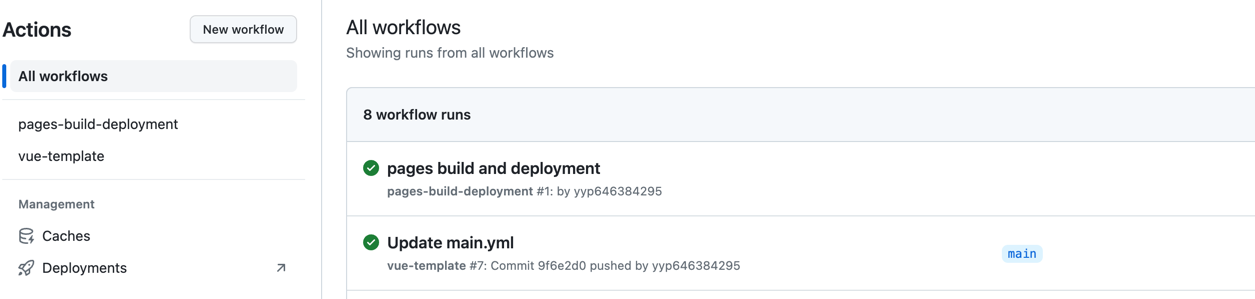
.github/workflows目录,开始编写脚本执行文件。 - 更改提交后,点击actions查看脚本执行结果。
- 成功后可访问Settings/Pages中的域名地址。
main.yml
yml
name: vue-template # 脚本名称
on:
  push:
    branches:
      - main # 当提交到main分支后开始执行
jobs:
  build-and-deploy:
    runs-on: ubuntu-latest
    steps:
      - uses: actions/checkout@v3 # 下载所需依赖
      - uses: actions/setup-node@v1
        with:
          node-version: '14.x' # 指定node版本
      - name: ENV
        run: |
          node -v
          npm -v
          npm config set registry https://registry.npm.taobao.org
      - name: Install and Build # 安装依赖、打包,如果提前已打包好无需这一步
        run: |
          npm install
          npm run build

      - name: Deploy # 部署
        uses: JamesIves/github-pages-deploy-action@v4.3.3
        with:
          branch: gh-pages # 部署后提交到那个分支
          folder: dist # 这里填打包好的目录名称